
Can I offer a discount on pre-orders?
Updated · SMART Preorder & Back in stock (E-TRADE PARTNER)
Yes. In the campaign's Payment card tick Apply discount and choose Percentage off or Fixed amount off. Shopify applies it automatically to the pre-order items at checkout, with no code. Shopify's Buy X get Y discounts don't work on pre-orders.
SMART Preorder & Back in stock is a free Shopify app for pre-orders, deposits, and back-in-stock alerts.
Try it freeOn this page
Add a pre-order discount
- Open the campaign and go to the Campaign tab.
- In the Payment card, tick Apply discount.
- Choose a Discount type: Percentage off or Fixed amount off.
- Enter the Discount value. A percentage can't be more than 100; a fixed amount is in your store currency. The value must be more than 0.
- Click Save.
How it works
- The discount is part of the campaign's Shopify purchase option, so it applies only when the item is bought as a pre-order. With When the product is out of stock, variants still in stock sell at the normal price.
- It works with Full payment and Deposit campaigns.
- It needs Standard checkout (Settings tab > Advanced > Checkout mode). With Simple checkout the editor refuses the save: "Pre-order discounts need Standard checkout. Remove the discount, or switch back to Standard checkout".
What shoppers see
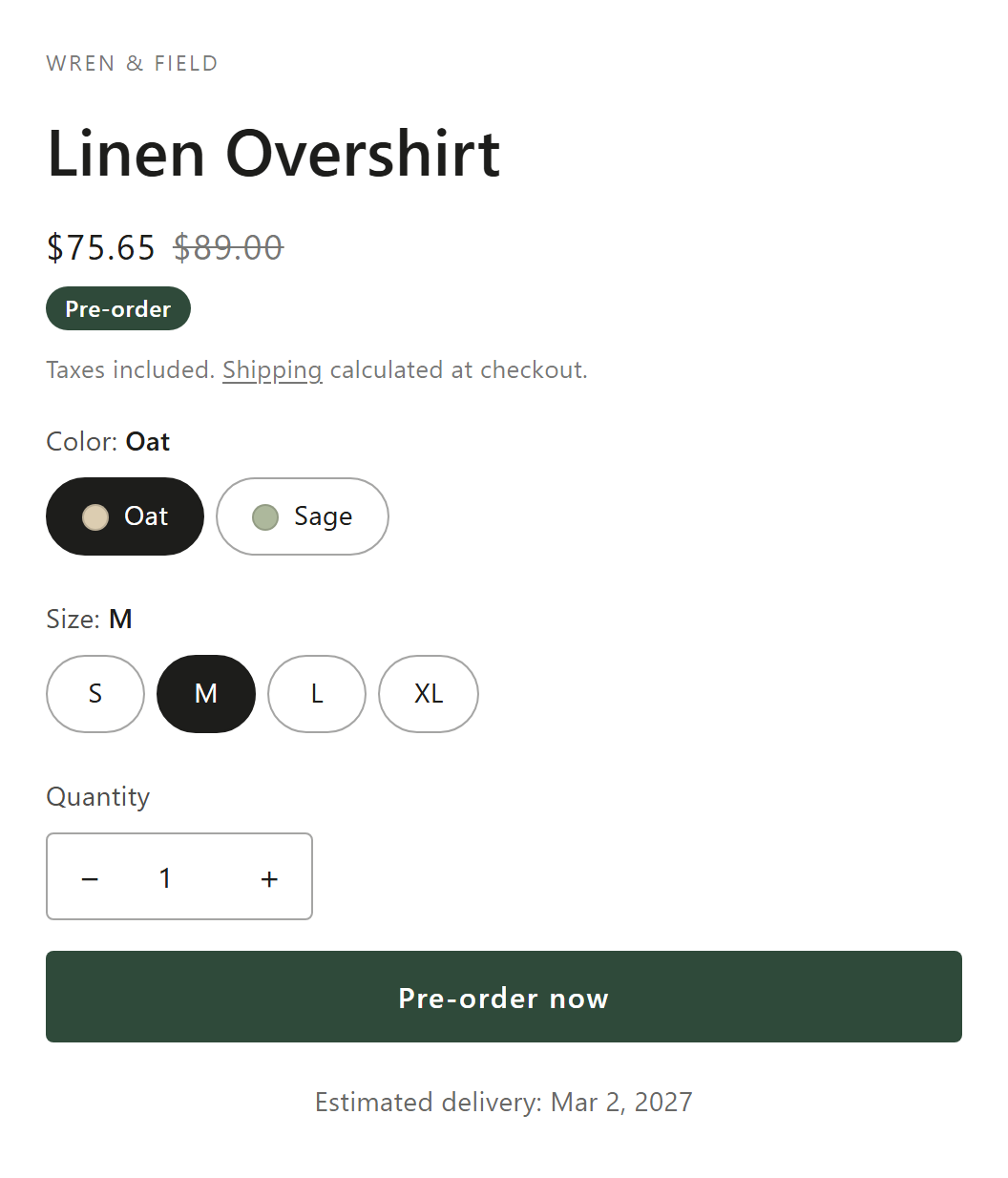
- With Show discounted pre-order prices on (the default, in the app's Settings > Theme compatibility), the theme's price is replaced with the discounted price and the struck-through original. Also on collection, search and home pages does the same on product cards.
- The payment message of a deposit campaign uses Shopify's own figures for the pre-order, discount included.
- The cart line can show the saving with the {{discount_amount}} variable (Settings tab > Cart and checkout > Add a line to pre-order items).
- Pre-order emails and the order page show the deposit after discounts, excluding tax and shipping.
Shopify discount codes, automatic discounts and gift cards
| Standard checkout (default) | Simple checkout | |
|---|---|---|
| Campaign discount (Apply discount) | Works | Not available |
| Shopify Buy X get Y discounts | Don't work on pre-order items (a Shopify rule) | Work |
| Other discount codes and automatic discounts | Shopify decides whether they apply to the pre-order item; test the code in a checkout | Apply as on a normal item |
| Gift cards | Can't pay for pre-order items | Work |
| Deposits | Work | Not available (full payment only) |
Simple checkout sells the item as a normal line with a hidden pre-order note, so every payment method and discount works, but there's no deposit and no campaign discount. Shopify documents the Buy X get Y limit for pre-orders in its Help Center.
Early-bird pricing with a deadline
Pair the discount with Set end date on the Campaign tab and turn on the Countdown timer on the Design tab ("Pre-order ends in"). When the end date passes, the campaign stops taking pre-orders. To keep taking them at full price, untick Apply discount and move or remove the end date before it passes.
Reward early buyers
Automatic pre-order discounts with the struck-through price on your product pages. Free on the Shopify App Store.
Install free on ShopifyFrequently asked questions
›Do I need to create a discount code in Shopify for the pre-order price?
No. The campaign discount is applied automatically at checkout to pre-order items. There's no code for customers to enter.
›Why doesn't my Buy X get Y code work on a pre-order?
Shopify doesn't support Buy X get Y discounts on pre-order purchase options. If you need them, use Simple checkout on that campaign; it can't take deposits or apply a campaign discount.
›Can customers pay for a pre-order with a gift card?
Not on Standard checkout campaigns. Switch the campaign to Simple checkout if gift cards must work; it takes full payment only.